Meta Compliance Guide
for Restricted Brands
Learn what Meta’s public policies say, how compliance gets enforced,
and then run a checklist to self-diagnose risk for ads and websites.
Summary
What this page covers
Meta's compliance policies are publicly available. Finding them isn't the hard part. The hard part is the practical translation: what those policies mean in the real world, how enforcement actually shows up, and what you can check before you burn weeks of creative testing on a site or campaign that was going to get flagged anyway.
This page is a diagnostic guide for Hemp/CBD and Health/Wellness brands. It lays out the highest-signal enforcement triggers (for ads and for website/pixel categorization), then gives you a simple checklist to self-diagnose risk using the same places Meta makes decisions: your creative, your website, your metadata, and your Events Manager settings.
Policies
Hemp/CBD
Public policy reference
Meta’s public policy that covers the category is published under Drugs/Pharmaceuticals: Meta policy — Drugs & Pharmaceuticals.
Practical meaning
Simply put, avoid making it obvious you are selling a drug-like product. In practice, that means avoiding certain keywords, consumption imagery, and “for sale” intent. This applies to both ads and websites.
Common enforcement triggers
- Drug/substance keywords (e.g., cannabis, hemp, CBD, THC; dosage like “mg”).
- Sale intent (“buy now”) or direct solicitation language.
- Consumption verbs/imagery (drinking, smoking, vaping, swallowing, etc.).
- Medical framing (doctor/prescription/FDA approved; treated conditions).
- Keywords in images: keywords on labels/packaging are treated as text.
- Imagery that clearly signals drugs (pills/gummies/flower; paraphernalia like rolling papers, joints, pipes, bongs).
Summary
The goal is to avoid making it obvious you’re selling a restricted drug-like product.
- Don’t use drug words.
- Don’t show consumption.
- Don’t sell directly.
- Don’t go medical.
Policies
Health/Wellness
Public policy reference
Meta’s published Health/Wellness policy is specific to ad approval. It covers things like age targeting (18+) and how certain weight loss and cosmetic content can (and can’t) be depicted. Meta policy — Health and wellness.
In addition to ad approval policy, website compliance is often much stricter. In practice, website categorization can get triggered by health-related keywords even when your ad would otherwise be eligible.
Practical meaning
Practically, Health/Wellness compliance for ads + websites often comes down to: don’t name health conditions, don’t use language that leads a reader to self-diagnose, and avoid before/after or other imagery that makes an explicit health benefit claim. Also assume Meta evaluates not just visible text, but metadata and markup (what the robot sees).
Common Enforcement Triggers (Ads and Websites)
- Body-shaming or insecurity-based messaging (anything that drives negative self-perception).
- Before/after transformations for weight loss or cosmetic outcomes (including certain side-by-side comparisons).
- Close-up “problem area” imagery (e.g., pinching fat).
- Quiz-style or diagnostic framing that leads a reader to self-identify a problem.
- Explicit outcomes/benefit claims that read like a medical promise.
Common Enforcement Triggers (Website Categorization only)
- Any mention of a health condition/ailment keyword.
- Keywords inside images (Meta can read text on labels/packaging/screenshots).
- Before/after or “diagnostic” health imagery.
- Metadata/markup that includes condition keywords (especially page title + meta description).
Summary
The goal is to stop your ad or website from reading like a medical claim.
- Don’t name conditions.
- Don’t diagnose the reader.
- Keep it lifestyle-level.
- Avoid making medical claims.
Mechanics
How Meta's compliance evaluations work
Ad approval scans
- When you publish a Meta ad, it enters an automated AI approval queue. Meta analyzes your text and visuals for policy risk, and it also evaluates the website people land on after the click.
- Rejected ads don’t receive budget and don’t deliver impressions.
- Rejections can be appealed. An appeal can escalate to human review, with a chance of being overturned (and thus approved).
- Rejections are negative marks on the ad account. Too many rejections can lead to an account ban, especially if the pattern looks like policy avoidance.
- Some restricted categories can be “one strike and you’re out” (e.g., banned substances, illegal drugs, firearms, gambling sites).
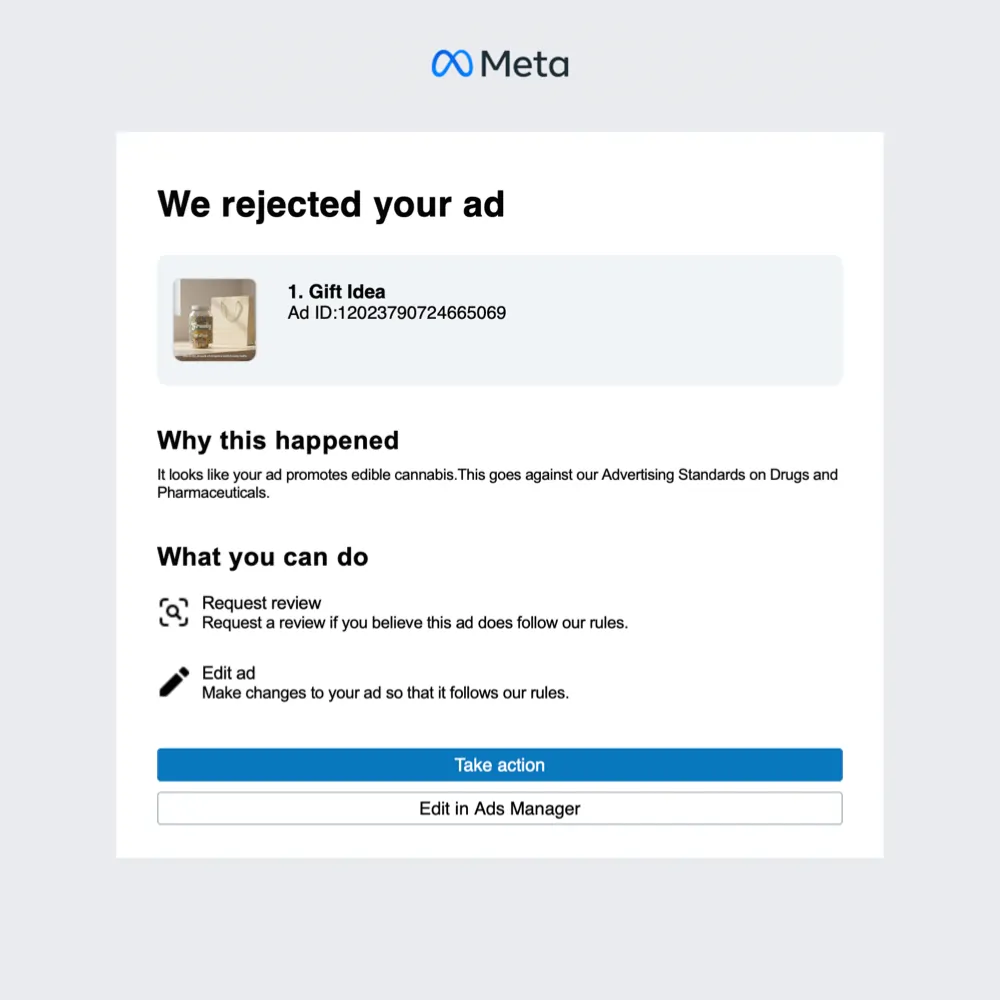
- Account admins receive emails, and Ads Manager shows approval status and the reason when a rejection happens.
Website scans
- Meta doesn’t just scan your ad. It scans the website your ad points to. It starts scanning as soon as you paste the URL into the destination field in Ads Manager, before you ever hit publish.
- Meta can read text inside images (labels, packaging, screenshots). It also interprets what the image/video is “about,” not just the words.
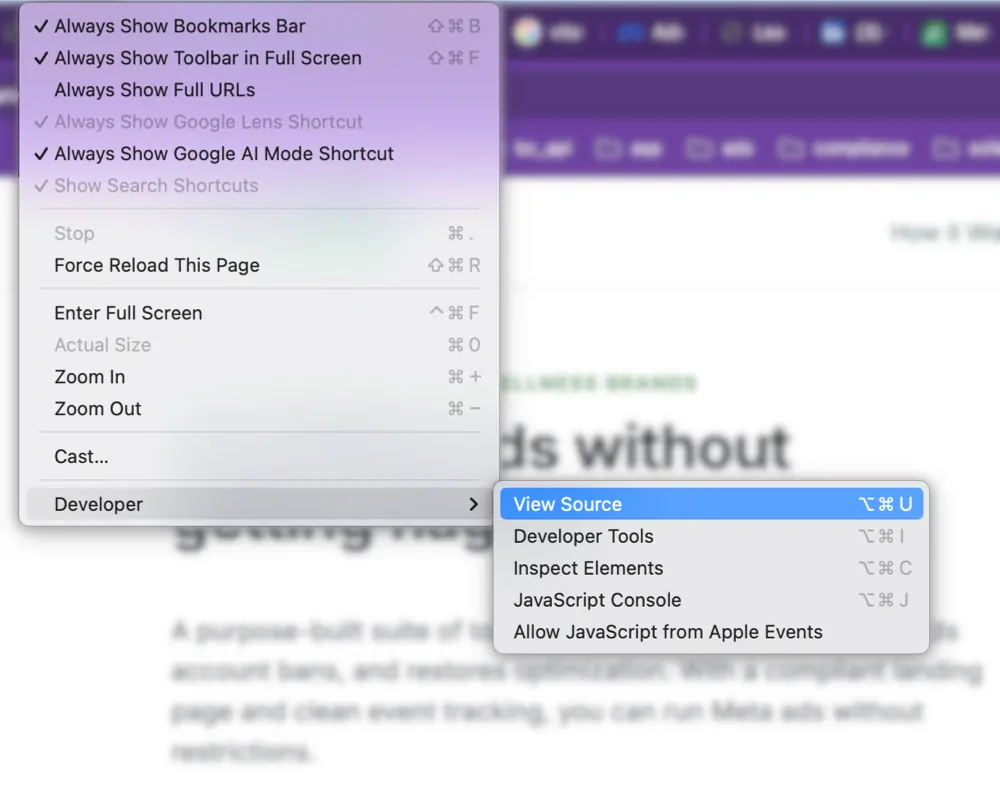
- It also evaluates what the crawler sees: visible page copy plus page title, meta description, and other markup.
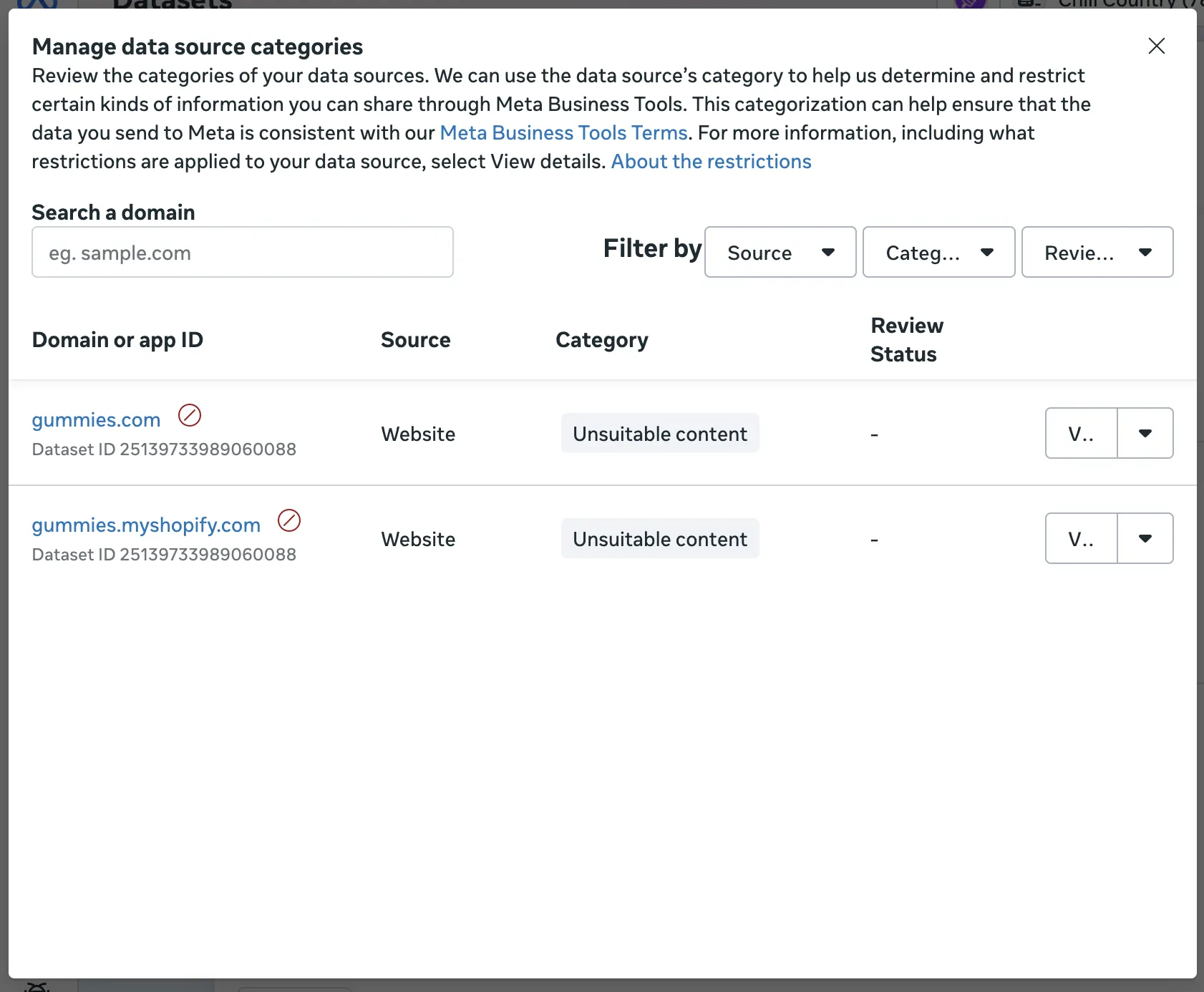
- Website/pixel categorization is binary: either the domain/dataset is categorized/flagged or it’s not. You can verify this in Events Manager and via policy emails (e.g., “your pixel sent data that doesn't comply with Meta's terms and conditions”).
Events Manager verification path (as referenced in interviews): Events Manager → Dataset → Settings → sections Manage Data Source Categories and Data Restrictions.
Checklist
How to check (diagnostic checklist)
-
Scan the ad creative for “hard don’t” terms (including inside images).
If a restricted keyword appears anywhere (copy, headline, or text inside an image), risk increases.
-
Scan the website for the same “hard don’t” terms and imagery.
Focus on the website your ads drive to (not “the URL” itself).
-
Scan the metadata Meta’s crawler sees.
Start with page title + meta description; treat this as first-class copy.
-
Assume whole-domain scanning.
If the domain contains other high-risk pages, they can still contribute to categorization risk.
-
Confirm “is it the ad?”
If the ad is rejected in Ads Manager (and you receive a “your ad was rejected” email), the creative is the immediate enforcement surface.
-
Confirm “is it the website?”
If Events Manager shows a domain/dataset categorization (and you receive a “your pixel sent data that doesn't comply…” email), the website is the immediate enforcement surface.
-
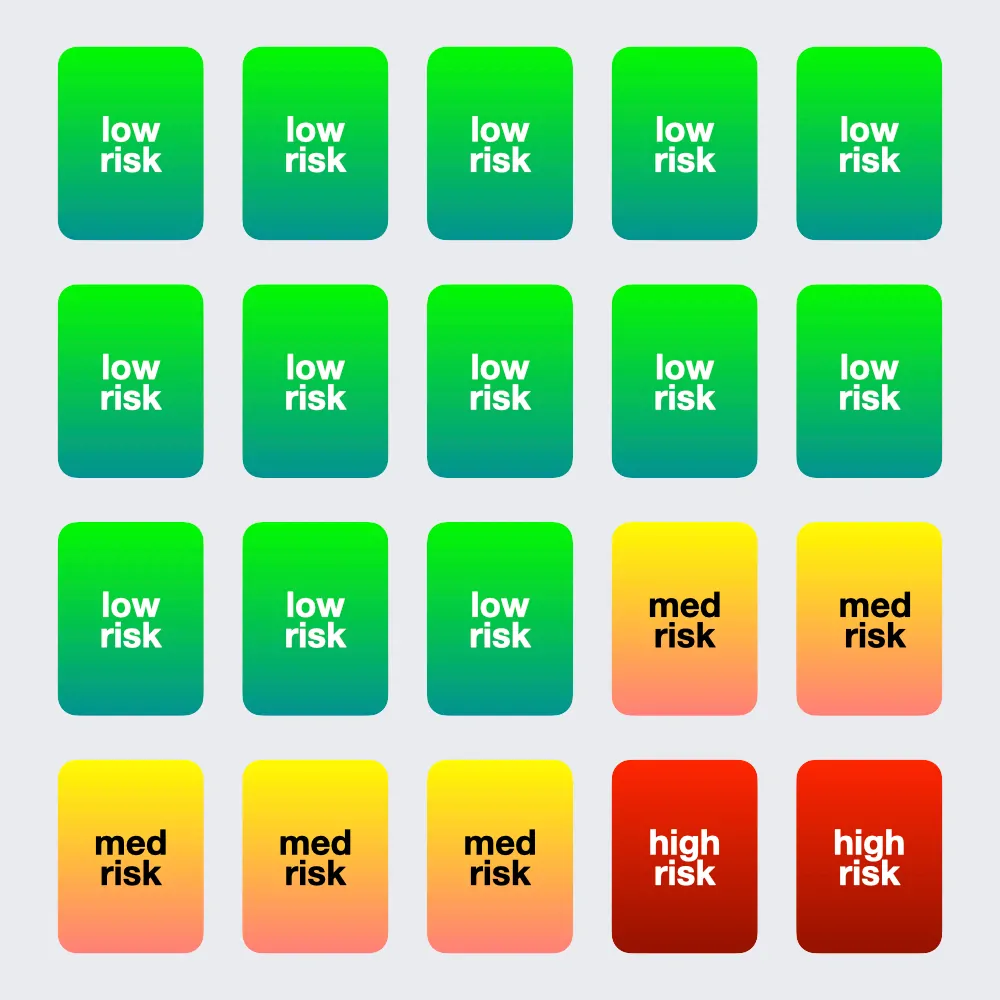
Use risk buckets to structure creative batches.
Aim for a mix like 65% safe / 25% moderate / 10% high risk. Results may vary.
-
Treat overt violations as high-stakes.
Some overt “no drugs” violations can trigger fast enforcement (including bans).
Notes
Notes / disclaimers
Meta compliance isn’t a courtroom and it isn’t a science lab. It’s a moving AI system that makes decisions with limited transparency. The goal of this guide is to help you stop guessing and start running repeatable checks.
Here’s what to keep in mind:
- No guarantees. This is a diagnostic guide, not a promise of approvals.
- Patterns beat anecdotes. One rejection doesn’t prove root cause. Clusters, correlation, and controlled checks do.
- Examples are illustrative. Enforcement varies by account history and category sensitivity.
- When in doubt, reduce explicitness. If it’s obvious you’re selling a restricted product or treating a condition, expect enforcement.